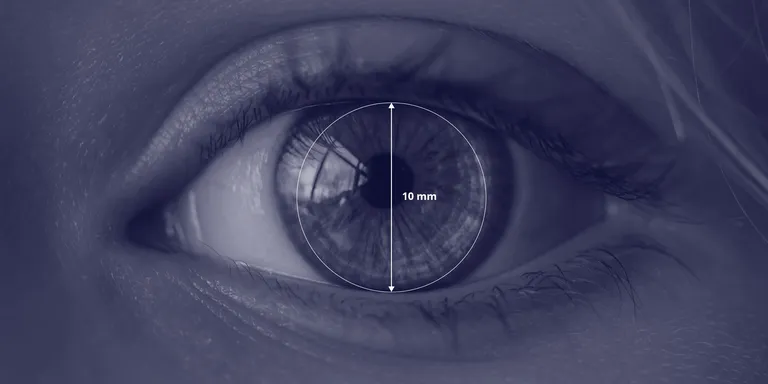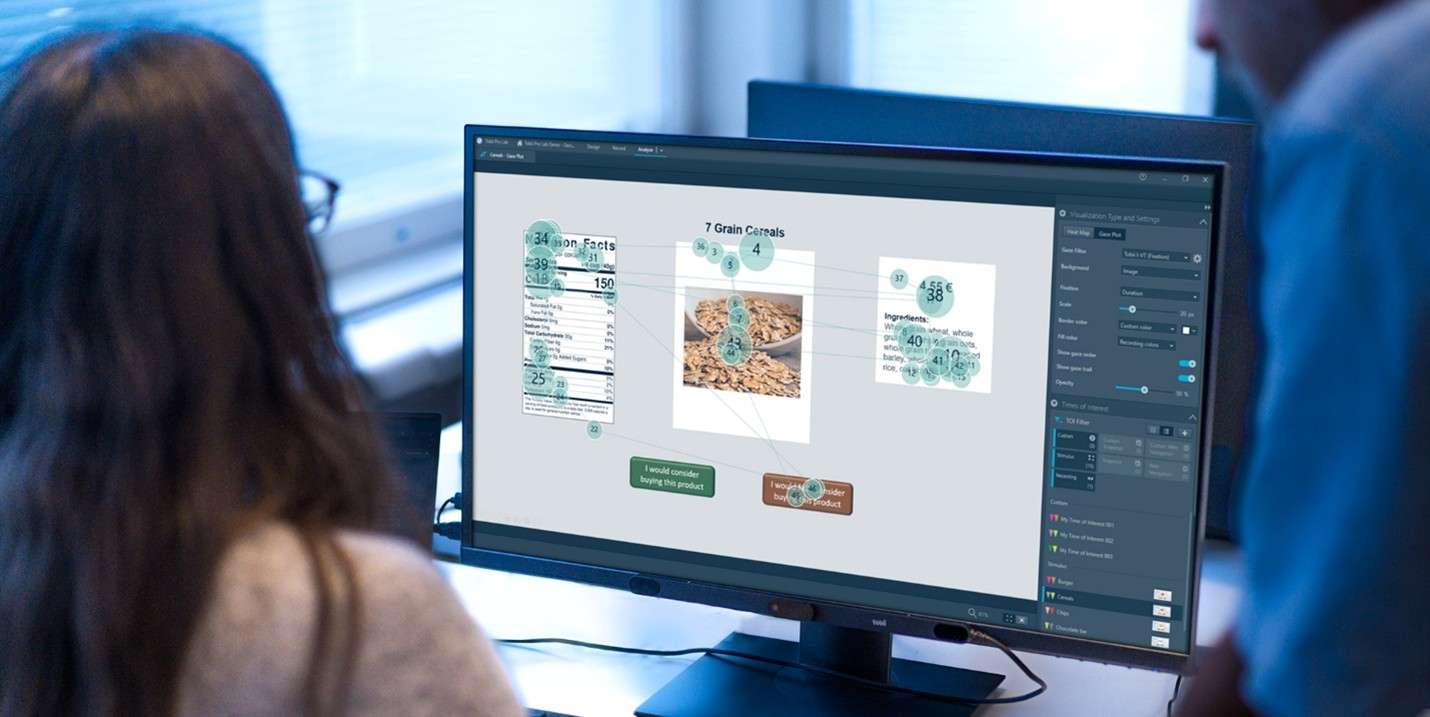



Eye-tracking provides objective, millisecond-level data about where users look and for how long, adding a powerful layer to conventional usability methods (surveys, task times, think-aloud). When combined with task completion, click data, and qualitative probing, eye tracking helps teams identify visual attention patterns, detect confusing layouts, and optimise information hierarchy, improving conversion, task speed and satisfaction.
Traditional UX methods tell you what users do and why, but not always what they saw first or what they overlooked. Eye-tracking captures gaze, fixations, saccades and pupil responses, giving insight into visual attention, search strategies, and cognitive load. Applied correctly, it reduces guesswork in layout decisions. Doing an eye-tracking study in UX research offers a strong approach to revealing how users behave and engage with digital interfaces.
This white paper outlines the role of eye tracking in UX, key metrics, study structures, practical applications, limitations, and strategic recommendations for integration into product development.
Table of Contents
- Why Eye Tracking Matters in UX
- How Eye Tracking Works in Usability Studies
- Key eye-tracking metrics & what they tell you
- Applications of Eye Tracking in Usability and UX
- Strengths and Limitations of Eye Tracking in UX
- Conclusion
Why Eye Tracking Matters in UX
Doing an eye-tracking study in UX research offers a strong approach to revealing how users behave and engage with digital interfaces. Usability research has long depended on task completion times, errors, clicks, interview feedback, and think-aloud protocols. These methods remain essential, but they reveal only part of the story. What they cannot reliably capture is the user’s immediate perceptual experience, specifically:
- What users look at first
- What elements receive the most attention
- Which parts of the interface are ignored
- Whether users understand the information hierarchy
- Levels of confusion or cognitive strain
Eye tracking fills this gap by recording gaze behaviour with millisecond precision. It offers a window into the subconscious processes guiding attention and decision-making, enabling UX teams to base design improvements on hard evidence rather than assumptions.
How Eye Tracking Works in Usability Studies
Eye tracking uses infrared sensors or calibrated webcams to capture eye movements and translate them into visual-attention data. In UX contexts, the methodology typically includes:
Devices-
- Wearable- Tobii Pro Glasses 3 or Tobii Glasses X
- Screen Based- Tobii Pro Spectrum, Tobii Pro Spark or Tobii Pro Nano
Study Settings –
- Moderated lab-based sessions
High accuracy and deep qualitative insight; ideal for detailed interface evaluations. - Remote webcam-based testing
Scalable and cost-effective; suitable for early-stage layout testing and large sample sizes. - Wearable eye tracking for mobile, physical, or AR environments
Useful for retail, automotive, and spatial UX design, where natural movement matters.
Typical Procedure –
- Calibration
- Task instruction
- Real-time gaze recording
- Post-task interview
- Aggregated eye-tracking visualisations and metric analysis
This combined approach reveals both what users did and how they visually navigated to do it.
Key eye-tracking metrics & what they tell you
- Fixation count and duration – what components draw prolonged attention (extended fixations may indicate confusion or interest).
- Time to first fixation (TTFF) – how quickly a user notices an element (useful for critical CTAs/instructions).
- Scanpath / gaze path – the order users visually examine a page, shows search strategies and attention bottlenecks.
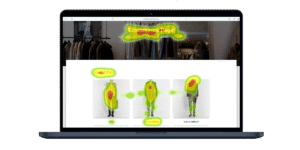
- Heatmaps and gaze plots – these are additional visualizations that highlight patterns among users (utilized to prioritize areas for redesign).
- Pupil dilation / blink rate – proxies for cognitive load or emotional/arousal responses (use carefully; affected by lighting).
Applications of Eye Tracking in Usability and UX
- Evaluating Visual Hierarchy – Eye tracking uncovers whether users naturally follow the intended information flow or are distracted by competing elements.
- Optimising Calls-to-Action (CTAs), Designers can test:
- Whether CTAs are noticed quickly
- Whether micro-copy or iconography competes with them
- The impact of colour, size, or placement
- Improving Form Usability – Gaze data shows exactly where users hesitate, misread labels, or miss error messages.
- Assessing Navigation Patterns
Scan-paths help identify:
- Unexpected visual loops
- Missing cues
- Areas of visual clutter
- Improving Mobile & Multiplatform UX: Eye tracking reveals where scrolling activity incorporates annoyance and where gaze (attention) is captured in mobile interfaces, which have minimal visual actual state.
- Testing Ad Effectiveness and Content Engagement
Media and e-commerce teams use eye tracking to quantify:
- Which images attract attention
- Whether key messages are noticed
- How long users stay engaged
Strengths and Limitations of Eye Tracking in UX
Strengths
- Provides objective, real-time behavioural data
- Reveals gaps between what users say and what they actually see
- Helps teams confidently prioritise design issues
- Enhances A/B testing by revealing perceptual differences
- Works well across digital, physical, and immersive environments
Limitations
- Eye tracking shows attention, not comprehension
- Interpretation requires skill to avoid misreading results
- Remote tracking may be less precise than lab-grade hardware
- Cognitive-load indicators can be affected by lighting, fatigue, or emotion
- Requires careful ethical handling of sensitive biometric data
Best Practices for Integrating Eye Tracking Into UX Workflows
- Use eye tracking to answer visual questions, not motivational ones.
Follow up with interviews for “why.” - Define Areas of Interest (AOIs) before the study.
This ensures clean, focused analysis. - Combine quantitative and qualitative data.
Eye tracking + clickstream + task success + user narration = complete picture. - Apply iterative testing.
Eye tracking is most valuable when used across design cycles, not as a one-off. - Use high-precision trackers for detailed diagnostic work; webcams for rapid evaluations.
Conclusion
Eye tracking enriches UX research by uncovering the perceptual foundations of user behaviour. It exposes hidden usability problems, validates design decisions, and makes the design process more evidence-driven. As interfaces become visually dense and interactive, understanding where users look, and why has become essential to building intuitive, accessible, and high-performing user experiences. Eye tracking is not a replacement for traditional UX research, but a powerful enhancer. When integrated thoughtfully and interpreted responsibly, it transforms how teams understand users and elevates the quality of digital products.
Frequently Asked Questions
1. What is eye tracking, and how does it enhance traditional UX methods?
Eye tracking is a technique that uses infrared sensors or webcams and record eye movements, providing objective, millisecond-level data on where users look and for how long. It is a technology that measures and analyzes eye movements.
It complements traditional UX methods like surveys, task times, and think-aloud protocols by revealing subconscious visual attention patterns, overlooked elements, and cognitive load. It reduces guesswork in design decisions and improves conversion rates, task speed, and user satisfaction.
2. Why does eye tracking matter in usability research?
Traditional methods capture what users do and why (e.g., via task completion times, errors, and interviews), but they miss the perceptual layer: what users look at first, which elements get the most attention, ignored areas, information hierarchy understanding, and signs of confusion. Eye tracking fills this gap with precise gaze data, offering evidence-based insights into attention and decision-making processes. This provides feedback on usability.
3. How does eye tracking work in a typical UX study?
In UX studies, eye tracking involves calibration of the device, task instructions, real-time gaze recording during interactions, and post-task interviews. Common settings include moderated lab sessions for high accuracy, remote webcam-based testing for scalability, or wearable trackers for mobile/AR environments. Results are analyzed through aggregated visualizations and metrics to show both actions and visual navigation.
4. What are the key eye-tracking metrics and what do they reveal?
-
- Fixation count & duration: Indicates sustained attention; long fixations may signal interest or confusion.
- Time to first fixation (TTFF): Measures how quickly critical elements (e.g., CTAs) are noticed.
- Scan path/gaze path: Shows the sequence of visual exploration, highlighting search strategies and bottlenecks.
- Heatmaps and gaze plots: Determine redesign priorities by aggregating user patterns.
- Pupil dilation/blink rate: Proxies for cognitive load or arousal, though influenced by external factors like lighting
5. What are practical applications of eye tracking in UX design? Eye tracking is used for:
-
- Evaluating visual hierarchy to ensure users follow intended information flows.
- Optimizing CTAs by testing noticeability, competition from icons/micro-copy, and effects of color/size/placement.
- Improving form usability by spotting hesitations, misread labels, or missed errors.
- Assessing navigation patterns for visual loops, missing cues, or clutter.
- Enhancing mobile/multi platform UX, where small screens amplify attention frictions.
- Testing ad effectiveness and content engagement, such as image attention or message retention.
6. What are the strengths of using eye tracking in UX research?
Strengths include providing objective, real-time behavioral data that uncovers discrepancies between what users say and see that is to understand user attention; enabling confident prioritization of design issues; enhancing A/B testing with perceptual insights; and applicability across digital, physical, and immersive environments. Eye tracking in UX research helps us in enhancing design decisions with concrete evidence.
7. What are best practices for integrating eye tracking into UX workflows?
-
- Use it for visual questions (e.g., attention patterns), not motivational ones, follow up with interviews for “why.”
- Define Areas of Interest (AOIs) upfront for focused analysis.
- Combine with quantitative (e.g., clicks) and qualitative data for a full picture.
- Apply iteratively across design cycles, not as a one-off.
- Opt for high-precision trackers in diagnostics and webcams for quick evaluations.
If you’d like to dive deeper into any particular study or point, feel free to ask us at parag@tidentech.com or tidentech@gmail.com or call us on +91 9987442274.